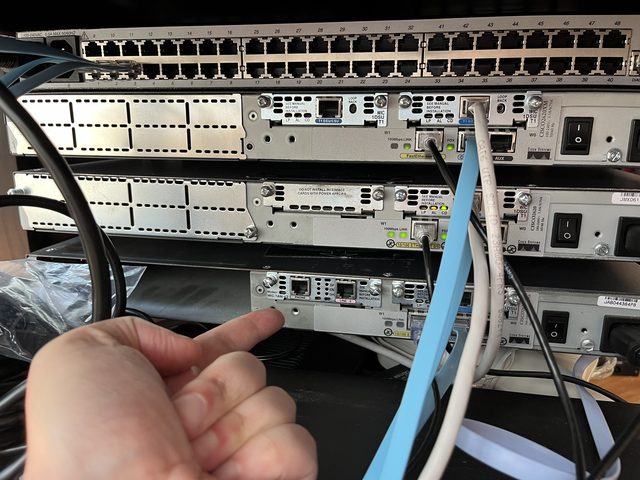
When I was a teen growing up in the 90s, I had a unique experience visiting my local BBS -- which also served as a small internet gateway for the area. One afternoon they showed me their wiring closet: a rack of gear that at the time looked utterly incomprehensible to me. A couple of SUN servers handling email and HTTP, another for inbound PPP connections, and Cisco routers with a T1 uplink to the outside world.
I didn't understand any of it. But I never forgot it either.
Two years ago I decided to build the same thing from scratch in my house.
The exercise lives inside my home network, which I treated as the "upstream provider." I already run OSPF there, advertising my gateway and the 0/0 default route to the Internet, so there was a ready-made upstream to plug into.
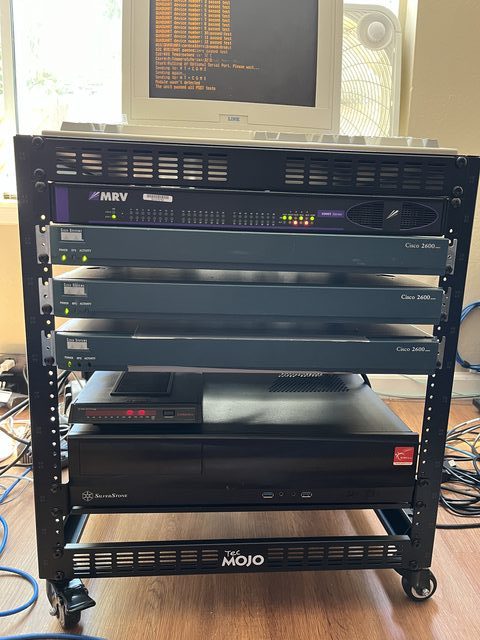
The first Cisco 2600 connects to that home network and speaks BGP. I fitted it with a T1 WAN interface card -- this router plays the role of my ISP's upstream carrier. A second 2600 connects back to it across the T1, also speaking BGP, with its own private ASN. Two routers, two ASNs, a T1 between them: that's the transit link sorted.
Behind the transit link, a third 2600 handles the ISP's internal routing. I carved out three VLANs -- one for the dialup client address pool, one for internal services, and one for management -- and let this router redistribute them via OSPF to the second router, which in turn passed the default route back down. Clean separation between the BGP edge and the internal IGP, which is exactly how a real ISP would do it.
For the server side, I didn't have any Sun hardware lying around, so a Raspberry Pi stood in as the dialup access server. It had an external serial modem connected to it and ran a PPP daemon listening for incoming calls, handing out addresses from the dialup pool and routing traffic up through the internal network to the T1.
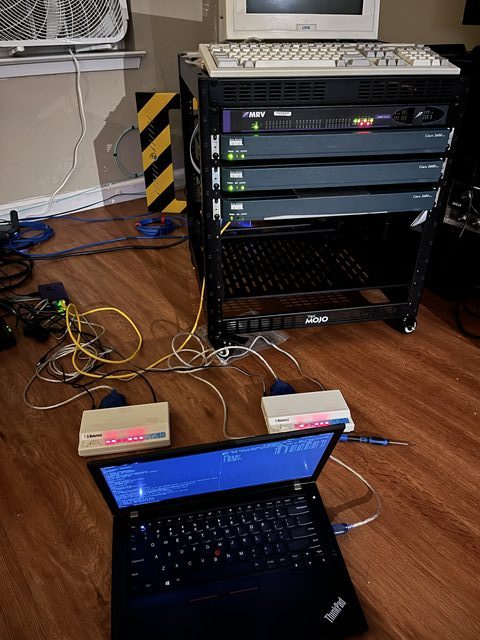
Making an actual POTS call inside a house with no phone line required a small PBX. I spun one up as a VM on my homelab and connected it to a pair of Cisco VoIP-to-POTS adapters -- small beige boxes that give you a real dial tone and a real phone number on one side, and Ethernet on the other. One adapter went to the modem on the Raspberry Pi, the other to the modem on my laptop, each with its own extension. The laptop could now dial the ISP's "number" and hear a carrier on the other end.
I connected my Arch Linux laptop to the second modem, configured pppd, and dialed in. The modems negotiated, PPP came up, the routing tables populated, and there it was: a default route pointing through the VoIP adapter, down the T1, through BGP, through OSPF, and out to the actual internet -- at a screaming 28.8 kb/s.
SSH worked. Ping worked. Web browsing was, as you'd expect, an exercise in patience.
Getting all of this working required digging into corners of Cisco IOS I had never touched -- serial WAN encapsulation, T1 framing and clocking, BGP policy, OSPF redistribution, PPP authentication and IP address negotiation. I ended up buying a copy of the O'Reilly "Cisco IOS Cookbook" off eBay, and it earned every penny. Reading a reference book cover-to-cover to debug a lab that serves no practical purpose is exactly the kind of learning that sticks.
The wiring closet I stared at as a teenager made a lot more sense afterwards.